Invoice flow
Owerview
Payment flow “Invoice” is designed for processing payments in the Invoicing category. The main principle of invoicing is that the payment is executed not by the provider debiting the Customer’s payment instrument, but rather by the Customer transferring funds to the merchant’s/provider’s account details.
The method/service for this flow is determined by a combination of the payment instrument to which the transfer will be made and the Customer-flow (i.e., the payment method). The payment method may influence the method formation with an additional component, for example, “qr” (e.g., upi_qr_inr_invoice).
The difference from the regular flow is that the Customer does not copy the account details and manually initiate a transfer in any form. Instead, the Customer utilizes specialized tools (for example, the vendor’s method app) to scan QR code content. A QR code may also embed a deep link with parameters for a mobile application.
Integration
Note!
API requests mentioned in that article can be observed in a separate block.
Full Server-to-Server Flow
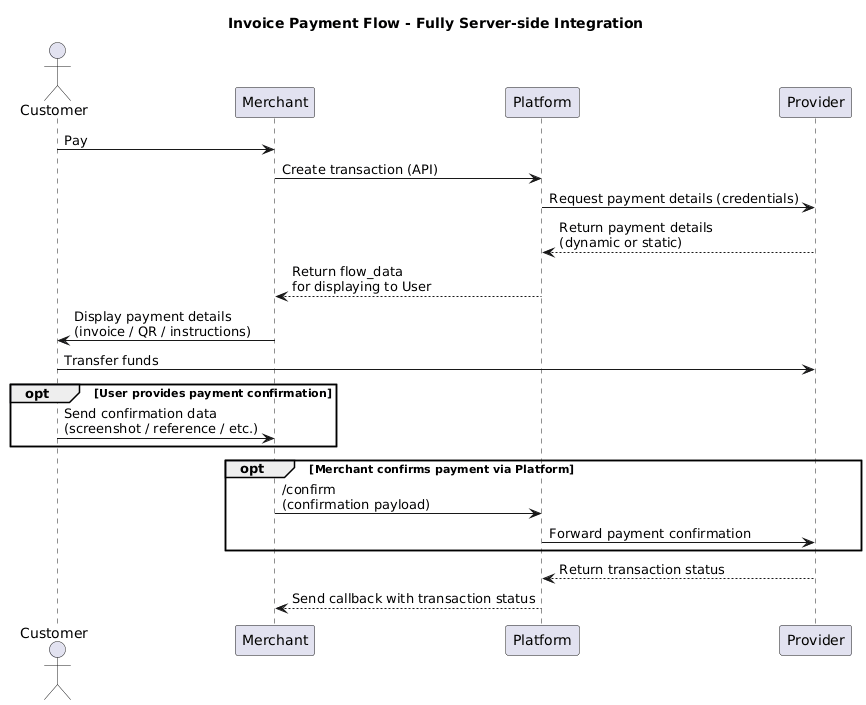
- The merchant creates a transaction via API.
- The platform receives payment details (requisites) for this specific payment from the connector (a connector = the provider may generate unique details per transaction, or static details may be embedded in the integration).
- Platform returns the data to the merchant for displaying to the Customer (flow_data).
- The merchant displays the requisites to the Customer.
- The Customer makes the payment.
- (conditional) The Customer provides the Merchant with payment confirmation data.
- (conditional) The Merchant provides Platform with the payment confirmation data (/confirm with confirmation payload).
- (conditional) Platform forwards the confirmation data to the Provider.
- The Provider returns the transaction status to the Platform.
- The platform sends a callback with the transaction status to the Merchant.
Full Redirect Flow
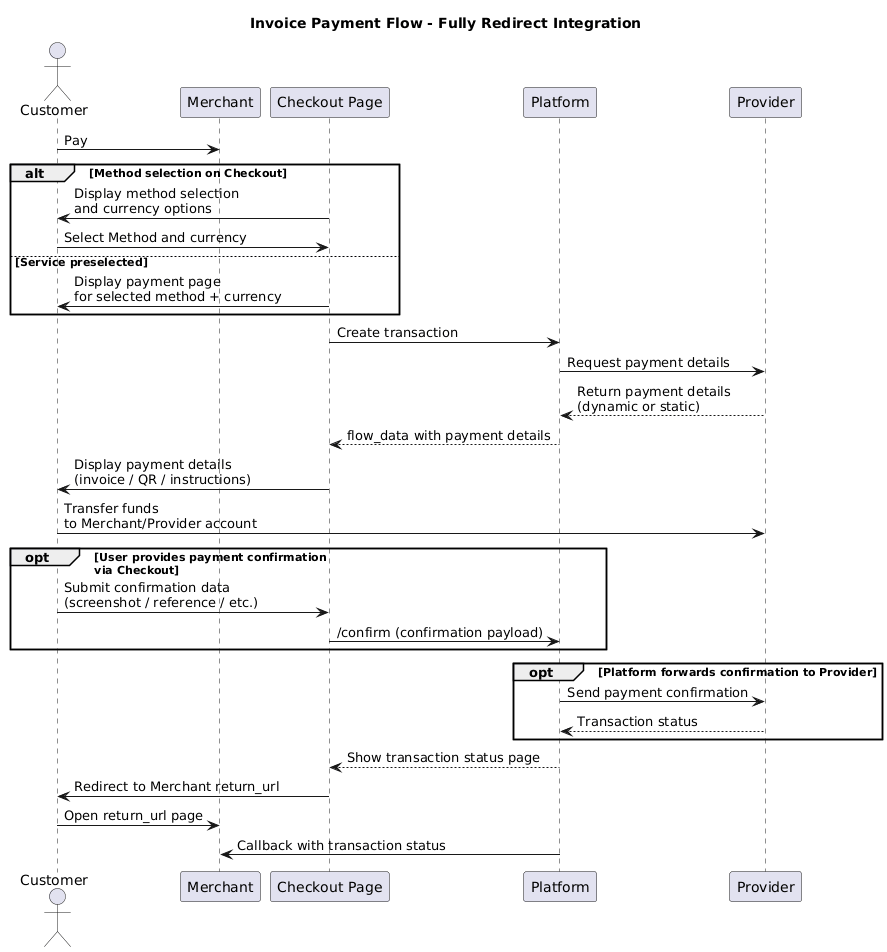
Note!
The merchant can redirect a Customer to the method selection page or a checkout with a preselected method. To direct the Customer to the page with pre-selected fields, the URL should include both the method and currency.
- The Merchant redirects the Customer to Commerce Checkout:
- Either to the method-selection page, or
- Directly with a chosen service (method + currency).
- Commerce Checkout creates the transaction.
- The platform receives payment details from the connector (unique per transaction or static embedded in integration).
- The platform displays the payment details to the Customer.
- The Customer makes the payment.
- (conditional) The Customer provides Platform with payment confirmation data (Commerce Checkout → Processing via /confirm endpoint).
- (conditional) Platform forwards the confirmation data to the Provider.
- The Provider returns the transaction status to the Platform.
- The platform displays the status to the Customer.
- Platform redirects the Customer back to the Merchant's page (return_url).
- The platform sends a callback with the transaction status to the Merchant.
Mixed Flow (most popular)
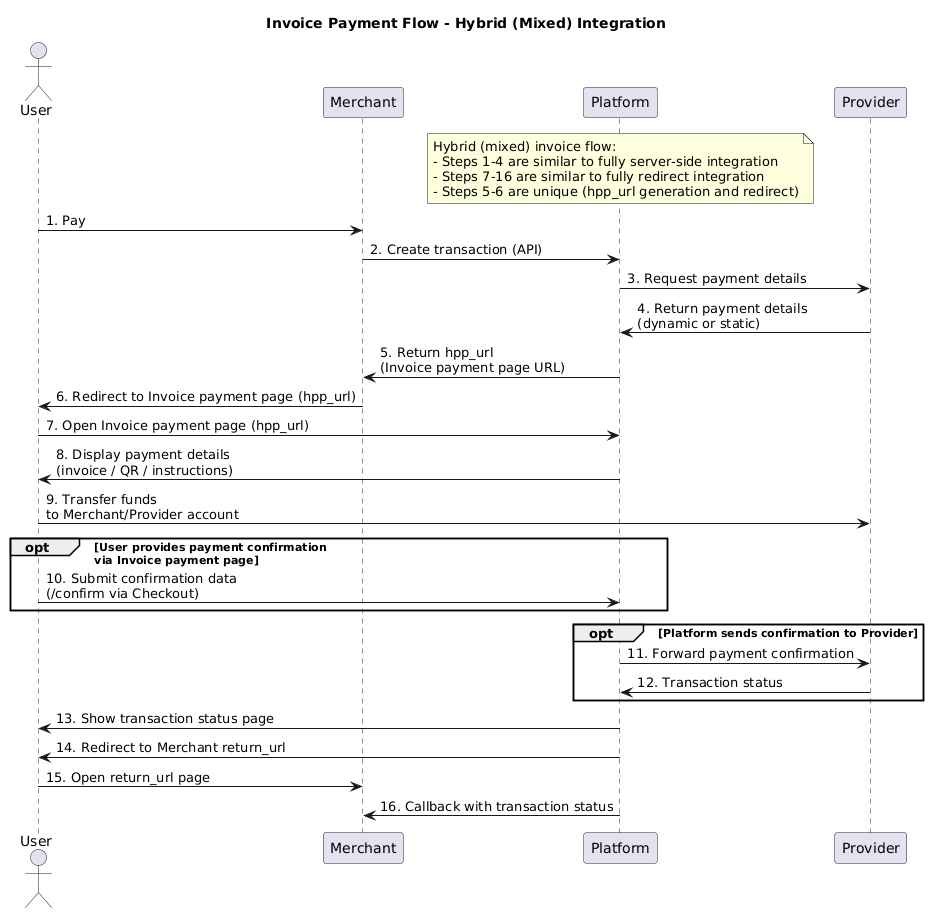
- The Merchant creates a transaction via API.
- The platform receives payment details from the connector (unique per transaction or static configuration).
- Platform returns a URL to the Merchant for redirecting the Customer to Commerce Checkout (Invoice payment page, API attribute =
hpp_url). - The Merchant redirects the Customer to the Invoice payment page
(hpp_url). - The platform displays the payment details to the Customer.
- The Customer makes the payment.
- (conditional) The Customer provides Platform with payment confirmation data (Commerce Checkout → Processing via
/confirmendpoint). - (conditional) Platform forwards the confirmation data to the Provider.
- The Provider returns the transaction status to the Platform.
- The platform displays the status to the Customer.
- Platform redirects the Customer to the Merchant's page (
return_url). - The platform sends a callback with the transaction status to the Merchant.
Note!
Steps 1–2 correspond to the Server-to-Server flow,
Steps 5–12 correspond to the Redirect flow,
Steps 3 and 4 are unique.
API Guides
Payment invoice creation
The example of the request is provided below. For more detailed information, please refer to the following link.
To initiate the invoice flow, you must specify this in the service field. - QR - Bank Transfer - Card Transfer - Barcode - Deeplink
Each method can require various values in the service field. For more detailed information to support your business case and integration needs, please get in touch with your account manager.
JSON
{
    "data": {
        "type": "payment-invoices",
        "attributes": {
            "reference_id": "",
            "amount": 2126.68,
            "test_mode": true,
            "currency": "UAH",
            "service": "test_uah_invoice",
            "flow": "charge",
            "options": {}
        }
    }
}
JSON
=== "Base Responce Sample"
```json
{
        "flow_data": {
        "method": {
            "code": "test",
            "logo": "https://static.openfintech.io/payment_methods/test/logo.png"
        },
        "requisites": {
            "invoice_receipt_number": "1764077421"
        },
        "is_otp_flow": false,
        "confirmation": {
            "payload": "{\"invoice_receipt_number\":{\"required\":true,\"regexp\":\"^\\\\d{1,100}$\",\"type\":\"text\",\"example\":null},\"message\":{\"required\":true,\"regexp\":\"^.{1,100}$\",\"type\":\"text\",\"example\":null}}",
            "required": true
        },
        "checkout_page": null
    },
    "flow": "invoice",
    "payment_flow": "charge",
    "created": 1764077421,
    "updated": 1764077422,
    "payload": null,
    "description": null,
    "descriptor": null,
    "callback_url": "https://webhook.site/282bbce6-c2b5-4d1e-a44c-1504975e82ec",
    "return_url": null,
    "return_urls": {
        "fail": "http://google.com/1",
        "pending": "http://google.com/2",
        "success": "http://google.com/3"
    }
}
```
The data required for this flow is returned in the flow_data object. Also, you don't have to build an invoice page on your side. You will receive a corresponding URL for the invoice page in the "hpp_url" field in the response, which can be shown to the customer. A full response Example is available via the following link.
Confirm request
API: PRIVATE
Endpoint: /payment-invoices/{id}/confirm
Authentication: Authorization: NONE ( Payment Invoice ID is used as public key)
Method: POST
JSON
{
"payload": {
    "confirm_number": "value"
}
Note!
A confirm request does not apply to all integrations. Please refer to your provider's documentation for more info.
HPP Examples
| Service | HPP Example |
|---|---|
| Invoice | 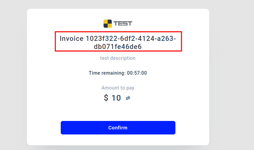 |
| QR | 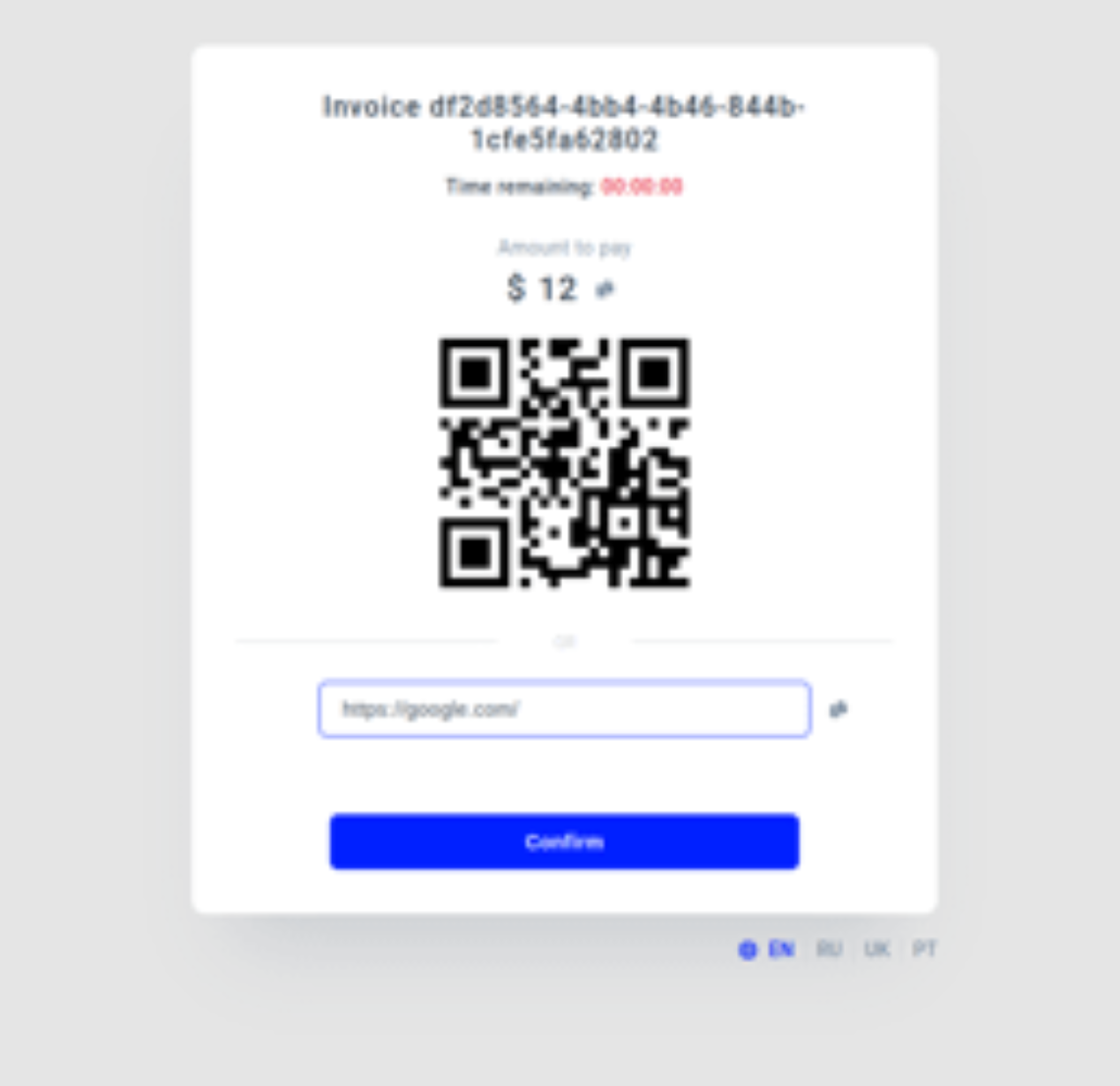 |
| Barcode | 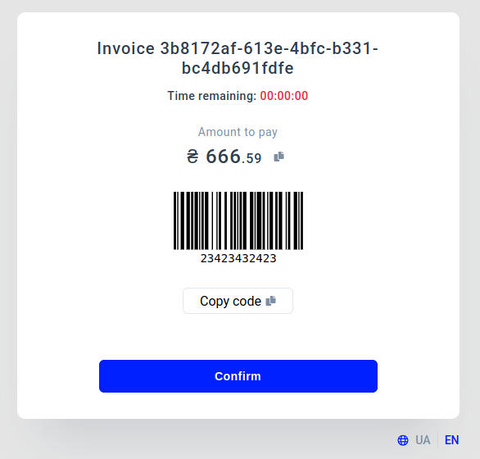 |
| Card Transfer |  |